
Bluetooth Car Stereo Hands-Free Calling: Safety & Voice Control Guide (2026)
Table of Contents
Picture this: You’re cruising down the highway, your favorite playlist filling the car. Then your phone buzzes. It’s your boss. Or your kid’s school. Or your mom, who will definitely call back three more times if you don’t answer.
What do you do?
If you’re like most drivers, you glance at the screen. Maybe you pick it up. Maybe you try to answer with one hand while steering with the other. We’ve all been there.
Here’s the thing: that split-second decision can change everything. A quick glance down, a momentary distraction—and suddenly you’re swerving, braking late, or worse. According to safety experts, distracted driving causes thousands of accidents every year. And yet, we can’t just ignore our phones. Life doesn’t stop when we get behind the wheel.
So what’s the solution?
A quality bluetooth car stereo with hands-free calling capabilities. It’s not just about convenience anymore it’s about keeping yourself and everyone around you safe.
Whether you’re a daily commuter battling rush hour traffic, a rideshare driver picking up passengers, or a parent worrying about your teenager driving to school, upgrading to the right hands free calling car radio is one of the smartest moves you can make. It keeps your hands on the wheel, your eyes on the road, and your mind at ease.
In this guide, I’ll walk you through everything you need to know. We’ll talk about the different microphone options, the magic of voice control, the legal stuff you should be aware of, and how to set everything up so it actually works. By the time you finish reading, you’ll know exactly what to look for—and you’ll be ready to make a choice that could literally save your life.
So, What Exactly Is a Hands-Free Bluetooth Car Stereo?
Let’s start with the basics.
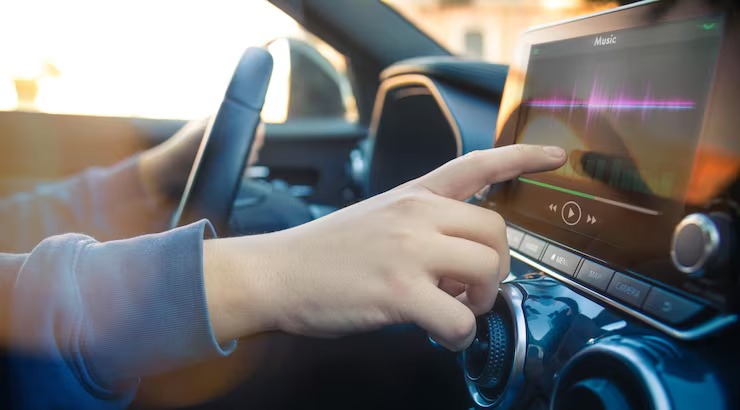
A bluetooth car stereo with hands-free capability does exactly what it sounds like: it lets you make and receive phone calls without ever touching your phone. You connect your smartphone wirelessly to the stereo using Bluetooth, and suddenly your car becomes a communication hub.
When a call comes in, the caller’s voice plays through your car speakers. You speak into a microphone—either built into the stereo or mounted somewhere near you—and your voice gets transmitted back. No holding, no fumbling, no taking your eyes off the road.
Here’s what makes it work:
| Component | What It Does |
|---|---|
| Bluetooth Connection | The invisible link between your phone and your bluetooth car stereo |
| Microphone | Picks up your voice—either a car stereo with built in microphone or an external microphone car stereo |
| Car Speakers | Delivers the caller’s voice loud and clear |
| Controls | Buttons on the stereo or steering wheel let you answer, end, or ignore calls |
Why upgrade? If your car didn’t come with Bluetooth from the factory (and let’s be honest, many older cars didn’t), adding a bluetooth car kit handsfree system changes everything. No more scrambling for your phone when it rings. No more holding it up to your ear while trying to shift gears. Just safe, simple, stress-free calling.
The Law Says You Can’t Hold Your Phone—Here’s What That Means
Okay, let’s talk about the not-so-fun part: tickets.
As of 2026, distracted driving laws have gotten serious. More than 20 states in the U.S. now have what’s called “primary enforcement” laws. That means a police officer can pull you over just for holding your phone even if you weren’t speeding or swerving.
What’s illegal in most places:
- Holding your phone to your ear
- Texting, scrolling, or reading messages
- Holding your phone up for navigation
What’s legal:
- Using a bluetooth car kit handsfree system
- Using siri eyes free car stereo or Google Assistant to control things by voice
- Answering calls with a single button press on your steering wheel
The costs of getting caught:
- Fines: Anywhere from $50 to $500 or more, depending on where you live and whether it’s your first offense
- Points on your license: Enough points can mean a suspended license
- Insurance hikes: Your rates can jump significantly after a distracted driving ticket
- Rideshare trouble: If you drive for Uber or Lyft, a ticket can get you deactivated
The bottom line? A hands free calling car radio isn’t just a nice-to-have anymore. In many places, it’s the difference between driving legally and risking a hefty fine.
Built-In Microphone vs. External Microphone: Which One Actually Works?
This is where things get real. The microphone is the heart of any hands-free system. If people can’t hear you clearly, the whole setup is useless.
You have two main options, and the choice matters more than you might think.
Built-In Microphone (The Simple Option)
A car stereo with built in microphone has the mic right on the faceplate of the stereo. It’s clean, simple, and requires no extra wiring.
The good:
- Easy installation—no extra wires to run
- Looks sleek and integrated
- Works fine in smaller cars where you’re close to the dashboard
The not-so-good:
- Picks up road noise, engine rumble, and vibrations
- Callers might hear echo or muffled sound
- Struggles at highway speeds or in noisy environments
If you drive a compact car, mostly stick to city streets, and don’t spend hours on the phone, a car stereo with built in microphone might be just fine. It’s simple, it works, and it gets the job done.
External Microphone (The Pro Choice)
An external microphone car stereo comes with a small wired mic that you mount somewhere near you—on the visor, steering column, or the pillar next to the windshield.
The good:
- Crystal clear call quality—people actually hear you
- Positioned close to your mouth for better pickup
- Advanced noise cancellation filters out wind and road noise
- Perfect for trucks, SUVs, vans, and highway driving
The not-so-good:
- Requires running a wire through the dashboard
- You’ll see a small mic clip somewhere in your field of view
- Takes a little more time to install
So Which One Should You Choose?
| What You Drive | What I’d Recommend |
|---|---|
| Small car, city driving | Car stereo with built in microphone is probably fine |
| SUV, truck, or minivan | Go with an external microphone car stereo—you’ll thank yourself |
| Rideshare driver | External microphone car stereo, no question. Your passengers and dispatch will hear you clearly |
| Convertible or diesel truck | External microphone car stereo with noise cancellation is a must |
| Highway commuter | External microphone car stereo—highway speeds create noise that built-in mics just can’t handle |
I’ve used both, and honestly, the external microphone is worth the extra effort. There’s nothing quite like having someone say, “Wow, I can’t even tell you’re in the car.” That’s the experience you want.
Voice Control: Siri, Google, and the Magic of Hands-Free Commands
Here’s where things get fun.
A voice control car stereo lets you do stuff without pressing buttons at all. Just say the word, and your car listens.

Siri Eyes Free (For iPhone Users)
If you have an iPhone, siri eyes free car stereo is a game-changer. When you press the voice button on your steering wheel or stereo, Siri wakes up—but she doesn’t show anything on your phone screen. No distractions, just voice.
What you can say:
- “Call Mom.”
- “Text David I’m on my way.”
- “Play my driving playlist.”
- “Get directions to the nearest coffee shop.”
- “Read my last message.”
It’s like having a helpful passenger who never gets tired of your requests.
Google Assistant (For Android Users)
Android users get Google Assistant, which is just as capable—maybe even more so when it comes to third-party apps.
What you can say:
- “Call Sarah on speaker.”
- “Send a WhatsApp message to John.”
- “Navigate to work using Waze.”
- “Play chill vibes on Spotify.”
The bonus: Google Assistant works with pretty much everything—WhatsApp, Spotify, Waze, you name it.
Alexa in the Car?
Yep. Some newer bluetooth car stereo systems come with Alexa built in. That means you can control your smart home from your car.
- “Alexa, turn on the porch light.”
- “Alexa, add milk to my shopping list.”
- “Alexa, what’s the weather like today?”
It’s a little futuristic, but it’s here now, and it’s pretty cool.
Steering Wheel Controls: Your Hands Never Leave the Wheel
Let’s be honest: reaching for a touchscreen while driving is a bad idea. Even if it’s just a tap, your eyes leave the road. At 60 miles per hour, three seconds of looking away is like driving the length of a football field blind.
That’s why steering wheel control compatible stereo systems are so important.
What you can control without letting go:
- Answer and end calls
- Turn volume up and down
- Skip tracks
- Activate Siri or Google Assistant
- Switch between radio, Bluetooth, and CarPlay
But here’s the catch: When you replace your factory radio with an aftermarket bluetooth car stereo, your steering wheel buttons usually stop working. They’re speaking a different language than your new stereo.
The fix is easy: You need a small module called a steering wheel control interface. Brands like Axxess and iDatalink make them. They sit between your car and the new stereo, translating the button signals so everything works like it used to.
If you’re planning to install everything yourself, check out our detailed installation guide in Cluster 2—it walks you through wiring harnesses, dash kits, and exactly how to retain those steering wheel controls.
Two Phones at Once? Yes, Please
If you share a car with someone—a partner, a spouse, a teenage driver—you know the hassle of pairing and unpairing phones.
Many modern bluetooth car kit handsfree systems support dual phone connectivity. That means two phones can be connected at the same time.
How it works:
- Both phones stay paired
- When a call comes in on either phone, the system automatically switches
- No more “Wait, is your phone connected? Let me disconnect mine…”
It’s a small feature that makes a big difference in shared vehicles.
Noise Cancellation: Because Driving Isn’t Quiet
Ever tried talking to someone in a convertible at 70 miles per hour? It’s impossible.
A good external microphone car stereo system uses technology to filter out background noise. Here’s what’s happening behind the scenes:
- Digital Signal Processing (DSP): The microphone captures everything, then software removes the wind, the engine rumble, the road noise—leaving just your voice.
- Echo cancellation: Prevents the person on the other end from hearing their own voice echoing back.
- Automatic volume adjustment: Some systems turn up the speaker volume as your speed increases, so you can always hear the caller.
What kind of driver are you?
| Vehicle | The Noise Problem | What You Need |
|---|---|---|
| Convertible | Wind at highway speeds | External microphone car stereo with wind screen |
| Pickup truck | Diesel rumble, road noise | Strong DSP noise cancellation |
| SUV / Minivan | Passenger chatter, road noise | Dual-microphone array |
| Sports car | Engine noise, exhaust | Advanced echo cancellation |
If you drive anything other than a quiet sedan, spend the extra money on a stereo with a good external microphone and solid noise cancellation. Your callers will thank you.
A Special Note for Rideshare Drivers
If you drive for Uber, Lyft, or another rideshare company, this section is for you.
Your car isn’t just transportation—it’s your office. And a good hands free calling car radio is essential equipment.
Why it matters:
- Your rating depends on professionalism. If passengers can’t hear you clearly when you call to confirm pickup, your rating suffers.
- You need to stay legal. Uber and Lyft require drivers to follow distracted driving laws.
- Efficiency is everything. Voice commands let you accept rides, navigate, and communicate without touching your phone.
What I’d recommend for rideshare drivers:
- External microphone car stereo—no exceptions. You need professional-grade call quality.
- Dual phone connectivity—one phone for the rideshare app, one personal phone.
- Siri eyes free car stereo or Google Assistant—accept rides and navigate entirely by voice.
- Steering wheel control compatible stereo—manage everything without taking your hands off the wheel.
Invest in a quality setup. It pays for itself in better ratings, fewer tickets, and a smoother workday.
Installing Your Microphone: A Few Tips
If you go with an external microphone car stereo, you’ll need to mount it. It’s not hard, but a few tips will save you frustration.
Where to put it:
- Visor clip: Simple and effective. Clips right onto your sun visor near the driver’s side.
- Steering column: Small and discreet. Clips to the back of the steering wheel column.
- A-pillar: The pillar next to the windshield. Looks professional but requires tucking the wire behind the trim.
Running the wire:
- Use a plastic panel tool to gently pop the A-pillar trim loose.
- Be careful! If your car has side curtain airbags, route the wire behind the airbag, never in front of it.
- Tuck the wire along the headliner toward the center of the car.
- Run it down the A-pillar and through the dashboard to the back of your bluetooth car stereo.
- Plug it into the microphone input (usually a 3.5mm jack).
Pro tip: Test the microphone placement before you button everything up. Have a friend call you while you drive around, and see how it sounds. Adjust the mic position if needed.
If you’re doing a full stereo installation—wiring harnesses, dash kits, the whole thing—make sure to check out our Cluster 1 guide for the best stereo models and our Cluster 2 installation guide for step-by-step instructions.
Frequently Asked Questions
Q: What’s the best Bluetooth car stereo for hands-free calling?
A: It depends on your car and how you drive. For the best call quality, look for a bluetooth car stereo that comes with an external microphone car stereo and is steering wheel control compatible stereo. If you’re an iPhone user, make sure it supports siri eyes free car stereo. For Android, look for Android Auto compatibility. Our Cluster 1 guide breaks down the top models for 2026.
Q: Can I add hands-free calling to my current car without replacing the stereo?
A: Absolutely. If you’re not ready to replace your factory radio, you can add a bluetooth car kit handsfree device. Options include Bluetooth FM transmitters that play through your radio, aux-in Bluetooth adapters, or visor-mounted speakerphones. We cover these in detail in Cluster 5.
Q: Do all Bluetooth car stereos have a microphone?
A: Most do, but there’s a big difference in quality. Some have a car stereo with built in microphone right on the faceplate. Better models come with an external microphone car stereo that you mount near you for superior sound.
Q: Is hands-free calling actually safer?
A: Yes, it’s much safer than holding your phone. Your hands stay on the wheel and your eyes stay on the road. That said, any conversation is still a distraction. Keep calls short and avoid emotional topics while driving.
Q: What is Siri Eyes Free?
A: Siri eyes free car stereo is Apple’s system for using Siri in the car without looking at your phone screen. You press a button, Siri responds with voice only, and you can make calls, send texts, get directions, and control music just by talking.
Q: How do I connect my phone to my car stereo for hands-free calling?
A: Turn on Bluetooth on your phone. Put your hands free calling car radio into pairing mode (look for a “Phone” or “Bluetooth” button). Find your stereo in your phone’s Bluetooth list and tap it. Follow any prompts to confirm. That’s it.
Q: Can I use voice commands to send text messages?
A: Yes! With siri eyes free car stereo or Android Auto, you can dictate and send texts completely hands-free. The system will also read incoming messages aloud so you don’t have to look at your phone.
Q: What if my steering wheel controls stop working after I install a new stereo?
A: You need a steering wheel control interface. The Axxess ASWC-1 and iDatalink Maestro are the most popular options. They wire in between your car and the new bluetooth car stereo and translate the signals so your buttons work again. Our Cluster 2 installation guide covers this in detail.
Q: Can I connect two phones to my Bluetooth car stereo at the same time?
A: Many modern bluetooth car kit handsfree systems support dual phone connectivity. Both phones stay paired, and the system automatically switches to whichever one is receiving a call.
Wrapping It Up: Drive Safe, Stay Connected
Upgrading to a quality bluetooth car stereo with hands-free calling is one of those decisions you’ll wonder why you didn’t make sooner. It’s not just about avoiding tickets—though that’s a nice bonus. It’s about driving with confidence, knowing you can handle calls and messages without ever taking your eyes off the road.
Here’s what to remember:
- Microphone choice matters. A car stereo with built in microphone works in quiet cars. For anything else, get an external microphone car stereo.
- Voice control is your friend. Siri eyes free car stereo and Google Assistant let you do everything by voice.
- Keep your steering wheel controls. Make sure your new stereo is steering wheel control compatible stereo and grab the right interface module.
- Know the law. In most places, a hands free calling car radio isn’t optional—it’s required.
- Rideshare drivers, listen up. An external microphone car stereo with noise cancellation and dual phone connectivity is essential gear.
Hey just wanted to give you a quick heads up.
The text in your article seem to be running off the screen in Ie.
I’m not sure if this is a formatting issue or something to do with internet browser compatibility but I thought I’d post to let you
know. The design and style look great though! Hope you get the issue resolved soon. Cheers
Hi! I’m at work surfing around your blog from
my new apple iphone! Just wanted to ssay I love reading through
your blog and look forward to all your posts! Keep up the superb work!