
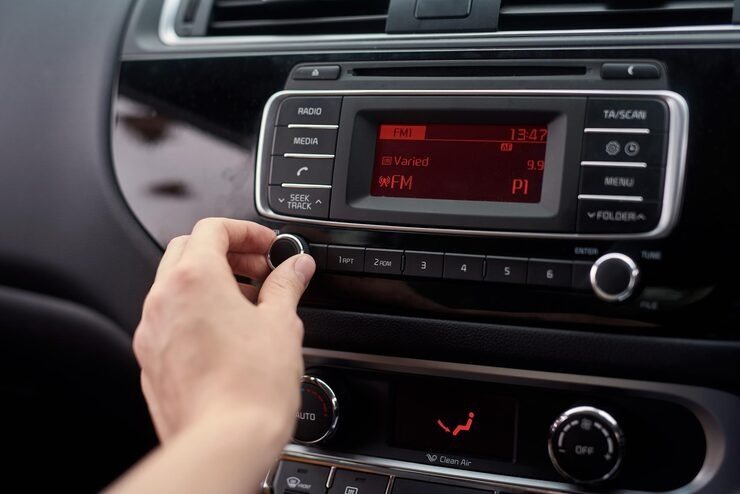
Best Bluetooth Car Stereo 2026: Apple CarPlay & Android Auto Guide
Let’s be real for a second. Dealing with tangled aux cords, scratched CDs, or holding your phone for directions is a total pain. It’s also not safe. Every time you look down at your phone to change a song or check a map, you’re taking your eyes off the road. That’s dangerous. If your car stereo still looks old and outdated, you’re missing out on really cool technology. The good news? Fixing this problem is easier than you think. A modern bluetooth car stereo with apple carplay acts like the brain of your car, connecting your phone to your dashboard in a smart way. You get maps on a big screen, music streams without cables, and you make hands-free calls all without ever touching your phone. It’s a game changer for anyone who spends time behind the wheel.
We’ve done the hard work for you. We checked out tons of 2026 models. From cheap Single DIN units to fancy touchscreen Double DIN stereos. We’re ready to help you pick the right one. Whether you drive an old truck, a family SUV, or a sporty coupe, there’s a perfect stereo waiting for you. Quick tip before we dive in: Apple CarPlay is for iPhones. Android Auto is for Android phones.
These systems take your phone apps and put them on your car’s screen. It’s safe and simple. In 2026, having one of these in your car is a must-have. Not just a nice extra. Let’s get started.
Single DIN vs. Double DIN: Which Bluetooth Stereo Fits Your Car?
Understanding DIN Sizes and What They Mean
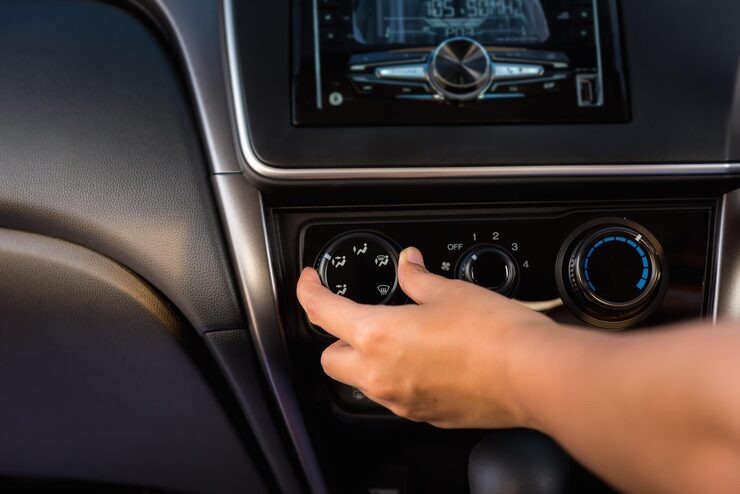
Before you start shopping, you need to figure out one important thing. What size stereo actually fits in your dashboard? This is the most common mistake people make. They fall in love with a stereo online. They buy it. Then they realize it doesn’t fit their car. Don’t let that be you. The terms Single DIN and Double DIN are just fancy ways to talk about size. DIN stands for “Deutsches Institut für Normung.” That’s a German standards organization. They came up with this measurement years ago. But you don’t need to remember that. Here’s the simple version.
Single DIN Explained: The Standard Size for Trucks and Classic Cars
Single DIN stereos are about 2 inches tall. They’re about 7 inches wide. This is the standard size used in cars for decades. You’ll find these in older cars. Pickup trucks. Classic cars. Many economy vehicles from the 80s, 90s, and early 2000s. They’re smaller and more compact. If you drive a vehicle from that era, you probably need a single DIN unit.
Double DIN Explained: The Choice for Modern Touchscreens
Double DIN stereos are about 4 inches tall. They’re the same 7 inches wide. They’re literally twice the height of Single DIN units. This extra space is why Double DIN stereos have big, beautiful touchscreens. The screen shows more information. Buttons are easier to press. Everything looks more modern. Most SUVs, sedans, and newer vehicles use this size.
How to Measure Your Dashboard the Right Way
So how do you know which one you need? Go out to your car right now. Look at your current stereo. Measure the height of the radio slot. If it’s around 2 inches tall, you need a single din bluetooth car radio. If it’s closer to 4 inches tall, go for a double din bluetooth stereo. It’s really that simple.
Some cars have a weird situation. The opening is Double DIN size. But the factory stereo is Single DIN with a pocket above or below it. In that case, you can usually install either size. You just need the right installation kit.
Which Size Makes Sense for Your Driving Needs
Here’s the bottom line. Single DIN is perfect for trucks, classic cars, and older vehicles. You just want to add Bluetooth music and hands-free calling without spending too much. You can still get touchscreens in Single DIN size. They’re usually fold-out or floating screens. They give you more display area when you need it.
Double DIN is best for SUVs, minivans, and sedans. You want a large, permanent touchscreen for maps, music, and easy controls. The bigger screen makes everything easier to see and press while driving. That’s a big safety plus. Always measure your dashboard before you buy anything. It saves so much hassle later. If you’re unsure, look up your car model online. Places like Crutchfield have compatibility tools. They’ll tell you exactly what fits.
Top 5 Bluetooth Car Stereo with Apple CarPlay & Android Auto
Why These Five Models Made Our List
Okay, now for the fun part. We did the hard work for you. We looked at tons of specs. We read reviews. We compared features. Here are the best stereos you can buy in 2026. We’ve got options for every budget and every type of driver. Each one brings something special to the table. Some have amazing sound quality. Some have a great price. Some have the latest wireless features. Let’s dive in.
Product 1: JBL Legend 700 – The Premium Choice for Audiophiles
| Feature | Details |
|---|---|
| Product Name | JBL Legend 700 |
| Category | Premium Bluetooth Car Stereo |
| Best For | Audiophiles and users who want top-tier sound and display quality |
| Display | 7-inch screen, sharp, bright, and colorful |
| User Interface | Fast and responsive, smooth navigation with no lag |
| Audio Quality | Rich, clear, and detailed sound with enhanced vocals and instruments |
| Call Quality | Loud and clear phone calls with excellent voice clarity |
| Connectivity | Wireless Apple CarPlay and Android Auto |
| Ease of Use | Automatic phone connection when the car starts |
| Installation | Straightforward for professionals or confident DIY users |
| Additional Requirements | Dash kit and wiring harness needed |
| Price Range | Expensive compared to other options |
| Overall Value | Worth it for premium sound and advanced features |
| User Experience | Turns daily driving into a high-quality music experience |
Product 2: Boss Audio BCPA9 – The Best Value for Daily Drivers
You don’t need to spend a ton of money to get a really good stereo. The boss audio bluetooth car stereo line proves that perfectly.
| Feature | Details |
|---|---|
| Product Name | Boss Elite BE7ACP.WX |
| Category | Budget-Friendly Double DIN Car Stereo |
| Best For | Daily commuters and budget-conscious users |
| Display | 7-inch touchscreen, responsive and bright for most lighting conditions |
| User Interface | Smooth and easy to use for everyday tasks |
| Audio Features | 13-band equalizer for detailed sound customization |
| Sound Control | Adjustable bass, mids, and overall tuning for music and podcasts |
| Connectivity | Wireless Apple CarPlay and Android Auto |
| CD Player | No (Mecha-free design for better durability) |
| Reliability | Fewer moving parts, more long-term reliability |
| Installation | Average difficulty, color-coded wiring for easier setup |
| Additional Support | Clear instruction manual included |
| Price Range | Affordable, budget-friendly |
| Value Proposition | Offers premium features at nearly half the price of competitors |
| User Experience | Practical, modern, and hassle-free for everyday use |
Product 3: Pioneer DMH-WT7600NEX – Built for Wireless Freedom
| Feature | Details |
|---|---|
| Product Name | Pioneer DMH-WT7600NEX |
| Category | Premium Wireless Car Stereo |
| Best For | Users who want a completely wireless, clutter-free experience |
| Display | Large floating touchscreen, crystal clear and bright even in sunlight |
| Design | Tablet-style floating display mounted on dashboard |
| User Experience | Automatic phone connection, no cables required |
| Connectivity | Wireless Apple CarPlay and Android Auto via Bluetooth and WiFi |
| Bluetooth Performance | Stable and reliable, no dropouts or lag |
| WiFi Performance | Fast and consistent connection for wireless features |
| Multitasking | Split-screen mode for maps and music simultaneously |
| Audio Features | 13-band equalizer and time alignment for precise sound tuning |
| Sound Quality | Clear, immersive audio with customizable listening experience |
| Convenience | No need to plug in phone, reduces cable clutter |
| Use Case | Ideal for daily drivers who want simplicity and modern tech |
| Installation | Standard for advanced Double DIN units (may require professional help) |
| Overall Value | Premium features focused on wireless convenience and usability |
Product 4: Sony XAV-AX8100 – Built for Music Lovers Who Demand More
| Feature | Details |
|---|---|
| Product Name | Sony XAV-AX8100 |
| Category | Premium Audiophile Car Stereo |
| Best For | Users who prioritize high-quality, detailed sound |
| Design | Modern floating screen with a sleek, concept-style look |
| Display | Large, clear touchscreen with premium visual appeal |
| Audio Format Support | Supports high-resolution audio including FLAC |
| Sound Quality | Extremely detailed, accurate, and true-to-source playback |
| Digital Signal Processor (DSP) | Enhances soundstage with depth and clarity |
| Soundstage Experience | Creates a front-stage, concert-like listening feel |
| Equalizer | 13-band EQ for precise sound customization |
| Time Alignment | Synchronizes speaker output for balanced audio timing |
| Customization | Full control over bass, mids, and highs |
| Performance | Ideal for use with high-end aftermarket speakers |
| User Experience | Designed for immersive, high-fidelity listening |
| Overall Value | Excellent choice for audiophiles seeking studio-like sound in a car |
Product 5: Kenwood Excelon DMX958XR – The Best Screen for Everyday Use
| Feature | Details |
|---|---|
| Product Name | Kenwood Excelon DMX958XR |
| Category | Premium Touchscreen Bluetooth Car Stereo |
| Best For | Users who want a fast, high-quality touchscreen and premium audio |
| Display Technology | Capacitive touchscreen (smartphone-like responsiveness) |
| Touch Performance | Instant response, smooth swipes, and accurate pinch-to-zoom |
| Display Quality | Bright, sharp, and vibrant with excellent visibility in sunlight |
| Visual Experience | Deep blacks and rich colors for a premium look and feel |
| User Interface | Smooth, customizable, and easy to navigate |
| Audio Quality | Clean, powerful, and detailed sound output |
| DAC (Digital-to-Analog Converter) | High-quality DAC for enhanced audio performance |
| Customization | Adjustable UI, app layout, and color themes to match car interior |
| Build Quality | Part of Kenwood’s high-end Excelon lineup |
| User Experience | Smooth, responsive, and enjoyable for frequent touchscreen use |
| Use Case | Ideal for users who value display quality and personalization |
| Overall Value | Premium price with top-tier display and audio performance |
What to Look For in a Bluetooth Car Stereo
Key Features That Actually Matter
Shopping for a new car multimedia system with bluetooth can feel overwhelming. So many choices. So many numbers. So many features. But if you focus on a few key things, it gets much easier. Think about how you use your phone. Think about how you listen to music. Do you want the easiest setup possible? Do you care most about great sound? Do you need a huge screen because your eyes aren’t what they used to be? These questions will guide you. The right stereo makes driving safer, more fun, and less stressful. You’ll never fumble with your phone again. Here’s what really matters when you’re comparing models.
Wired vs. Wireless Apple CarPlay/Android Auto
Wired Connections: Reliable and Charges Your Phone
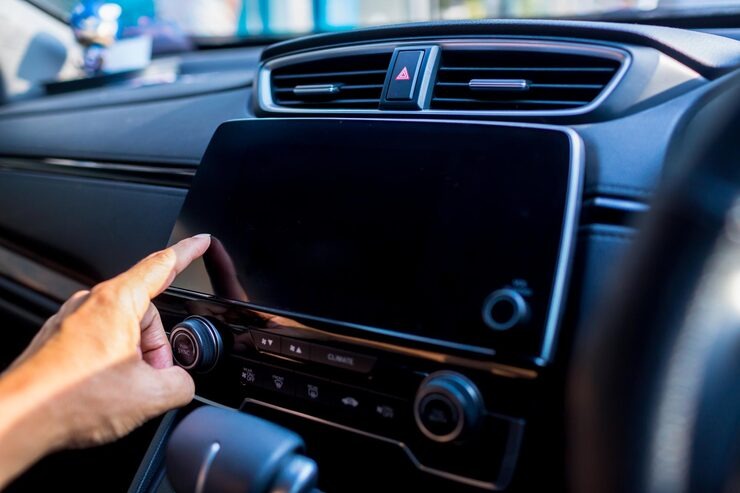
This is one of the biggest decisions you’ll make. Let’s break it down simply. Wired means you plug your phone into the stereo with a USB cable every time. This has some good points. It’s very reliable. The connection almost never drops. It also charges your phone while you drive. You never have to worry about battery dying. But you have to remember to plug in every single time. The cable can clutter up your center console. Over time, plugging and unplugging can wear out your phone’s charging port.
Wireless Connections: Convenient and Cable-Free
Wireless means your phone connects by itself as soon as you start the car. It uses Bluetooth and WiFi to create a seamless connection. This is super convenient. You can leave your phone in your pocket, your bag, or on the passenger seat. Just get in and go. The downsides? Wireless uses more phone battery. You might want a wireless charging pad to keep your phone topped up. Sometimes there’s a tiny delay in audio. This can be annoying for videos. But for music and maps, it’s fine. Think about what matters more to you. Convenience of no cables? Or reliability and charging of wired? Both are good. It’s about personal preference.
Screen Size and Resolution
Why Capacitive Screens Are Better Than Resistive
The screen is how you’ll control everything. It’s your window to maps, music, and messages. So it should be good. Really good. There are two main types of touchscreens. Resistive screens are older technology. They work by pressure. You have to push down on them. They often feel cheap. They don’t respond well to light touches. They can work with gloves on, which is nice in winter. But overall, they’re not great. Try to avoid these.
Capacitive screens are what you want. That’s the same type your smartphone has. They respond to the electrical properties of your skin. Even the lightest touch works. Swipes are smooth. Pinch-to-zoom works perfectly. They feel modern and high quality.
Finding the Right Screen Size for Your Car
Screen size matters too. They range from about 6 inches to over 10 inches. Bigger screens are great for seeing maps clearly without straining your eyes. You can have more information on screen at once. But bigger isn’t always better if it doesn’t fit. Make sure a big screen won’t block your view of the road. Check that it won’t hit your climate control knobs. Or stick out too far. Resolution is about sharpness. Look for higher pixel counts for crisper text and clearer images. You don’t need 4K in a car. But higher than basic is nice.
Audio Customization
Why a 13-Band Equalizer Makes a Difference
A good stereo doesn’t just play music. It lets you shape the sound. Every car sounds different inside. Some have lots of echo. Some have road noise. Some have speakers in weird places. Look for a stereo with a built-in equalizer. More bands mean more control. A basic EQ might have 3 or 5 bands. A good one has 7 or 9. A car stereo with 13 band equalizer is excellent. It lets you adjust very specific frequency ranges. You can fix problems or boost parts of the music you love.
Digital Signal Processing and Time Alignment Explained
Higher-end stereos have Digital Signal Processing. This is like having a sound engineer in your car. DSP can create a virtual sound stage. Music sounds like it’s coming from a stage in front of you. Not just from speakers in the doors. Time alignment is another pro feature. It adjusts the timing of each speaker. Sound reaches your ears at the same moment. In a normal car, sound from the left speaker reaches your left ear first. Time alignment fixes that. It creates a much more realistic experience. If you love music, don’t skip these features. They make a huge difference.
Expandability
Backup Camera Inputs and Why You Want One
Think about the future. Will you want to add things later? A good stereo should grow with you. The most useful feature is a backup camera input. Adding a camera makes parking safer and easier. You can see exactly what’s behind you. Most stereos support this, but check to make sure. Some even support multiple cameras. You could add a front camera too.
Preamp Outputs and Satellite Radio Readiness
Look for RCA preamp outputs. These are round jacks on the back. They let you connect external amplifiers. If you ever want more power, you’ll need these. If you want to add a subwoofer for deeper bass, you’ll need these. More outputs mean more flexibility. Look for at least three pairs. Front, rear, and subwoofer. Some stereos are “satellite radio ready.” They work with SiriusXM if you buy a separate tuner box. If you love satellite radio, look for this feature.
Also, check what audio formats the stereo supports. Can it play high-res FLAC files? Does it work with lossless formats from Apple Music? These things matter if you care about sound quality. A stereo with good expansion options can grow with you over time.
Bluetooth Quality
Why Bluetooth 5.0 Matters for Your New Stereo
Since you’re looking for a Bluetooth stereo, the Bluetooth quality matters a lot. All Bluetooth is not created equal. Look for stereos with Bluetooth 5.0 or newer. Newer versions connect faster. They have better range. They’re more stable. You don’t want your music cutting out when your phone is in your pocket.
Understanding Bluetooth Profiles for Music and Calls
Also check what Bluetooth profiles the stereo supports. For music, you want A2DP. That’s Advanced Audio Distribution Profile. For hands-free calling, you want HFP. That’s Hands-Free Profile. For controlling music from the stereo, you want AVRCP. That’s Audio/Video Remote Control Profile. Good stereos support all of these. Some stereos also support Bluetooth multipoint. That means you can connect two phones at once. If you and your partner share a car, this is super useful. If you have a work phone and a personal phone, this is great. Both phones can be connected. Calls from either will come through the stereo.
Physical Buttons vs. Touch Only
The Case for Keeping Some Physical Controls
This might sound old-fashioned. But think about whether you want physical buttons. Some modern stereos try to do everything through the touchscreen. No buttons at all. This looks clean and modern. But it means you have to look at the screen to change volume or skip tracks. You can’t do it by feel.
Other stereos keep physical buttons for important things. Volume, track skip, source selection. These are easier to use without taking your eyes off the road. You can find them by touch. The best approach is a mix. A great touchscreen for detailed tasks. Plus physical buttons or a knob for things you adjust often. Look for this balance when shopping.
Installation: Can You Install a Bluetooth Car Stereo Yourself?
What You Need to Know Before You Start
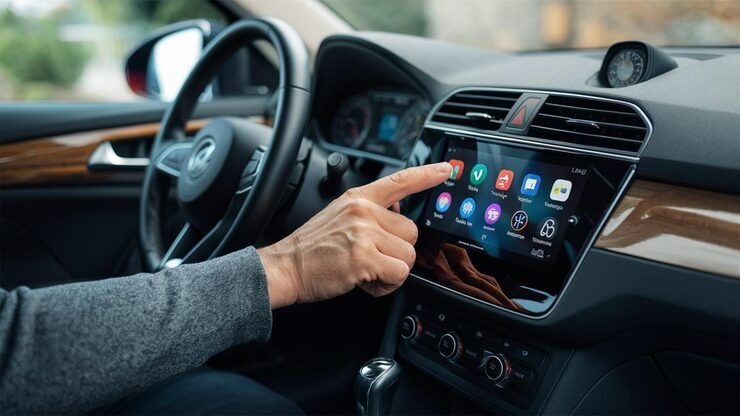
So you bought a new stereo. Congratulations! Now comes the next big question. Do you install it yourself or pay someone else? The answer depends on your car. Your skills. Your comfort level with wiring.
DIY Installation: When It Makes Sense
For many cars, especially older ones, this is a fun weekend project. If your car is from the 90s or early 2000s, wiring is usually simple. The colors are standard. There aren’t a lot of extra computers involved. You’ll need a few things. A wiring harness is essential. It plugs into your car’s factory wires on one end. It plugs into your new stereo on the other.
No cutting or splicing needed if you do it right. A dash kit makes the new stereo fit in the dashboard. No ugly gaps. Basic tools like wire strippers, crimpers, screwdrivers, and electrical tape. And of course, YouTube. There are thousands of installation videos for almost every car. Take your time. Follow instructions. It’s totally doable for a beginner with some patience.
Professional Installation: When to Call the Experts
But modern cars are trickier. Much trickier. Many new cars use CAN Bus systems. This is a computer network in your car. It connects the stereo to steering wheel controls. Factory amplifiers. Dashboard displays. Even safety systems. If you just swap the stereo without the right adapters, you might lose steering wheel controls. You might get error lights on your dash.
The stereo might not even turn on. For these cars, you often need expensive interface modules. These little boxes translate signals. They connect your new stereo to your car’s computers. They can cost $50 to $150 or more. Depends on your car. Some cars have the amplifier built into the factory stereo. If you remove it, you lose all sound. You need special adapters to bypass this.
If words like “CAN Bus” sound scary, pay a professional. A good car audio shop can install your new stereo in an hour or two. They have the knowledge and the parts. Yes, it costs money. But it saves frustration and ensures everything works right. Check our Installation & Compatibility guides for help with specific cars. We have detailed articles for popular models.
Frequently Asked Questions (FAQ)
Q: Can I add Apple CarPlay to an old car?
Yes, absolutely. You have a few options. You can buy portable screens that sit on your dashboard. They connect to your phone wirelessly. They add CarPlay without changing your factory stereo. They’re okay, but they look like an add-on. For the best experience, replace your old stereo with a new bluetooth car stereo with apple carplay. It looks cleaner. It sounds better through your car’s speakers. It works perfectly. That’s the route most people end up happiest with.
Q: Is a Single DIN or Double DIN better?
It depends on your car. Not on which is “better” in general. You can only fit what your dashboard has space for. If your car takes Double DIN, those usually have bigger screens and more features. Most people prefer that. But if you have a Single DIN slot, plenty of great Single DIN options exist. They have fold-out or floating screens. Measure your opening first. Then choose based on what fits.
Q: Do all Bluetooth car stereos work with iPhone?
Most will play music over basic Bluetooth. But for full iPhone features, you need Apple CarPlay. That means seeing text messages. Using Apple Maps. Talking to Siri. Using Apple Music properly. Always check the product specs. Make sure it says Apple CarPlay. Look for “MFi” (Made for iPhone) certification. That guarantees it works properly with your iPhone. Without it, you’re just getting basic Bluetooth. Not the full smart experience.
Q: Will I lose steering wheel controls?
Not if you buy the right parts. Most modern cars need a special interface module. This keeps steering wheel controls working with an aftermarket stereo. These modules are available from brands like Maestro, PAC, and Axxess. When you order your stereo from a place like Crutchfield, they’ll tell you exactly what extra parts you need. Don’t skip this. Losing steering wheel controls is annoying.
Q: How much does installation cost?
If you do it yourself, just the cost of parts. Maybe $20 to $50 for a wiring harness and dash kit. Plus $50 to $150 for any interface modules if needed. If you pay a shop, expect $100 to $200 for labor on a basic installation. More complex installations with lots of extra parts can cost more. Get a quote first.
Q: Can I keep my factory backup camera?
Sometimes yes, sometimes no. Some factory cameras work with aftermarket stereos using special adapters. Others don’t. It depends on your car’s brand. It depends on how the camera is wired. A car audio shop can tell you what’s possible for your specific vehicle. If the factory camera won’t work, aftermarket cameras are cheap and easy to add.
Q: What’s the difference between Apple CarPlay and Android Auto?
They do the same thing but for different phones. Apple CarPlay works with iPhones. Android Auto works with Android phones. Both take your phone’s apps and put them on your car’s screen. In a safe, simple format. You get maps, music, messages, and phone calls. Some stereos support both. That’s great if people in your household have different phones.
Q: Do I need a CD player anymore?
Probably not. Most people stream music now. CDs take up space and scratch easily. Many new stereos are “Mecha-free.” That means no CD player at all. This saves space. It reduces weight. It eliminates a part that can break. Unless you have a huge CD collection you can’t let go of, don’t worry about having a CD player.
Conclusion
Why Upgrading Your Stereo Transforms Your Drive
Upgrading your car stereo is honestly one of the best changes you can make to your vehicle. It’s not just about music. It’s about safety, convenience, and actually enjoying your time behind the wheel. A modern stereo turns boring drives into connected, fun, and safe experiences. Think about it. No more holding your phone for directions. No more fumbling with cables. No more squinting at a tiny screen to change a song. Everything is right there on a nice big display. Controlled safely with your voice or a quick tap.
Our Top Pick and Budget Recommendation
Whether you want the concert-hall sound of the JBL Legend 700 bluetooth stereo, it’s amazing. Or the unbeatable value of the boss audio bluetooth car stereo, it’s solid. For wireless freedom, the Pioneer DMH-WT7600NEX is fantastic. For pure audio quality, the Sony XAV-AX8100 delivers. For the best screen experience, the Kenwood Excelon DMX958XR is hard to beat. You’ll get hands-free calls that actually sound good. Easy maps that always show you the way. All your music, podcasts, and audiobooks right at your fingertips. And best of all, you’ll never have to touch your phone while driving again.
Ready to Make the Upgrade?
Ready to make the upgrade? Check the latest prices and compatibility using the links above. See what fits your car and your budget. Your daily drive is about to get a whole lot better. Trust us. Once you upgrade, you’ll wonder why you waited so long.ms take your phone apps and put them on your car’s screen. It’s safe and simple. In 2026, having one of these in your car is a must-have. Not just a nice extra. Let’s get started.